
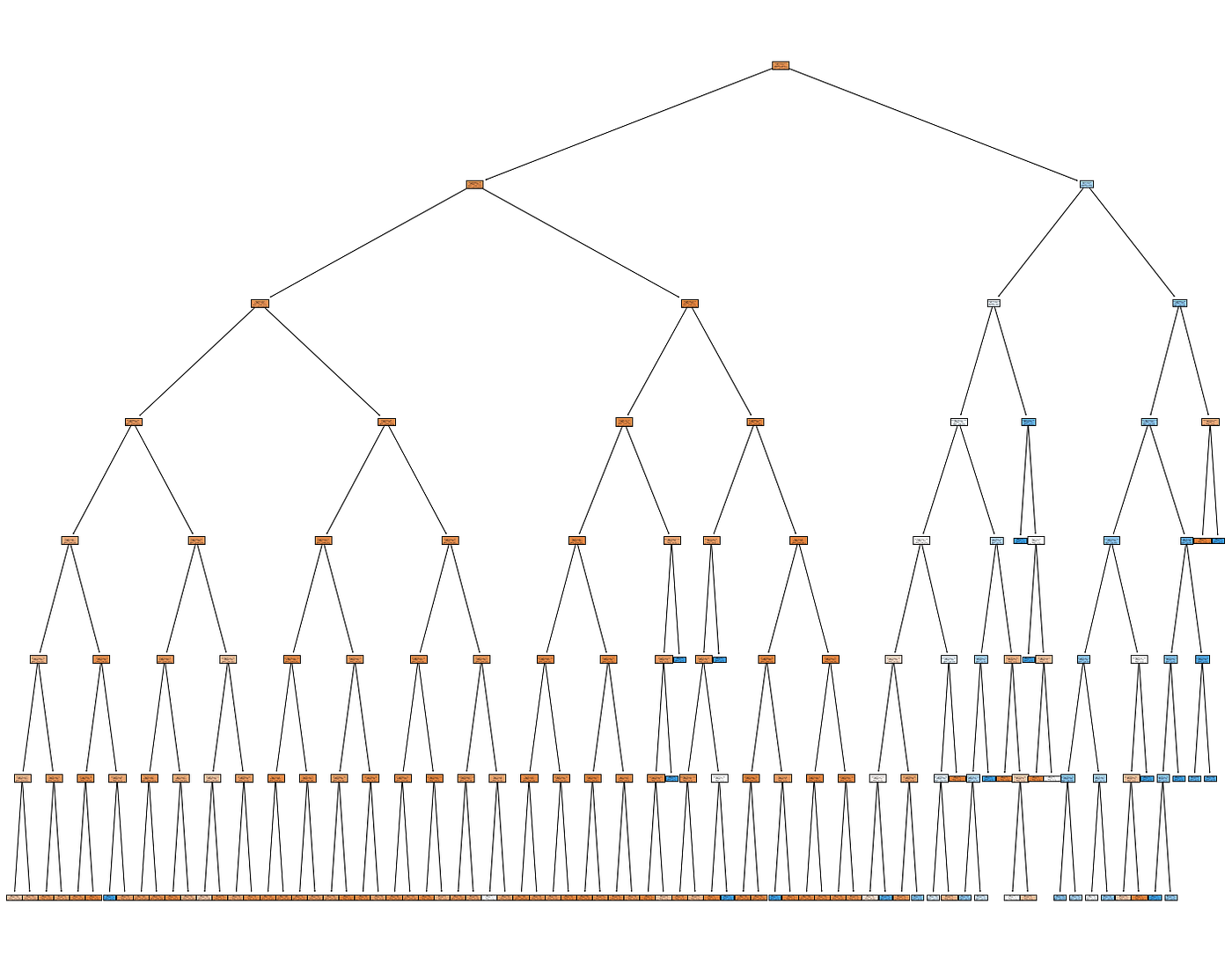
Once the decision tree was trained, a Pandas dataframe was constructed that consisted of the edges between each node in the decision tree, to eventually be upserted into our TigerGraph instance.
TigerGraph
The data was modeled in TigerGraph such that each outcome (signing up or declining the bank product), along with each individual and categorical attributes were a vertex type. Additionally, a “SubRule” vertex is introduced, which models each node in the decision tree. Each of these vertex types were connected to one another by a series of edges defined by the schema, pictured below:
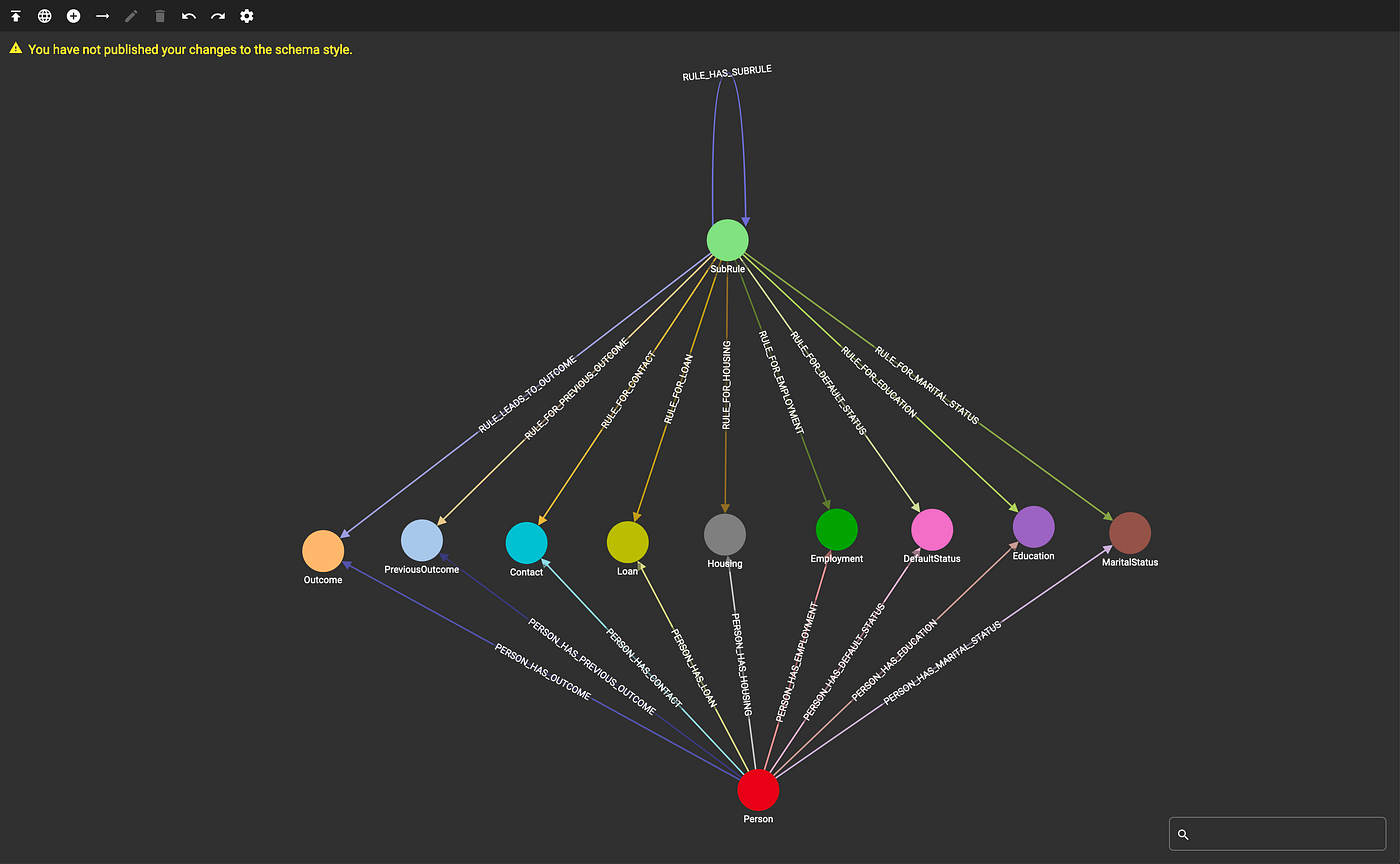
TigerGraph Schema (Image by Author)
Two loading scripts are defined to load the data and decision tree into the TigerGraph instance, written with pyTigerGraph. Once these scripts are run, we can see how much data is in the graph:
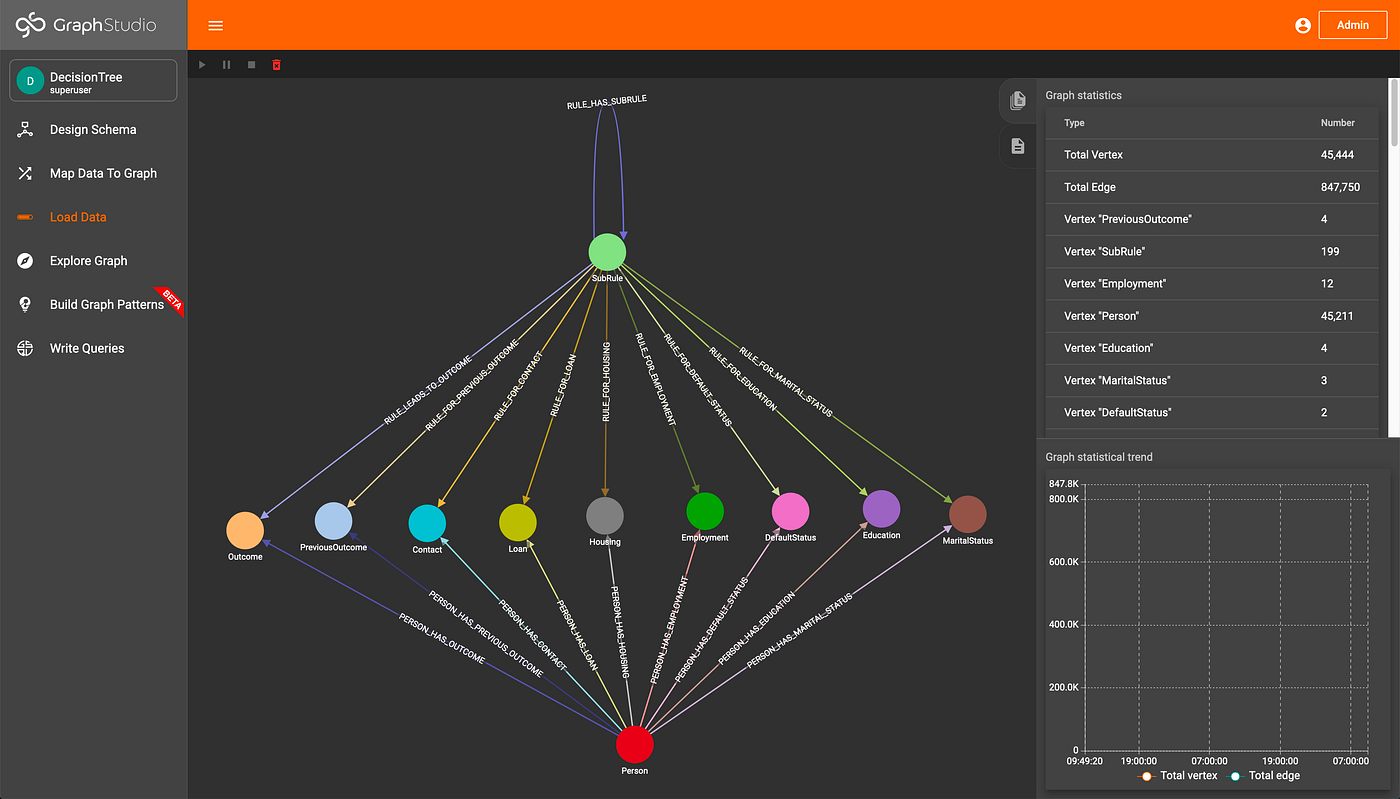
Data Loaded (Image by Author)
Accumulators in TigerGraph
According to the TigerGraph documentation, “Accumulators are special types of variables that accumulate information about the graph during its traversal and exploration.” The accumulators can be either global or local, where local accumulators are bound to each individual vertex, and global accumulators are graph-wide. This element of GSQL allows code to be very compact and easily understood. For more, check out the TigerGraph documentation.
Traversal Query
The query that traverses the decision tree and makes classifications utilizes multiple accumulators. To start, given an individual in the graph, we gather all of their attributes by traversing the graph. From these attributes, we can see what SubRules apply to those attributes by simply traversing from the attributes to the SubRules. Each SubRule is then assigned a running count as to if it has been traversed to before. Since decision trees operate on AND as well as NOT operations, the SubRules are then iteratively filtered down to valid rules by checking the number of times they have been touched, until a classification has been reached.
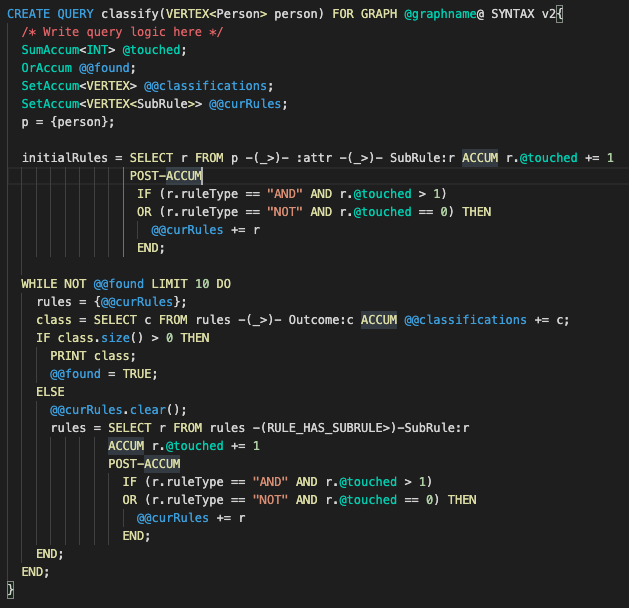
Classification Query (Image by Author)
The classify query is very simple and compact (about 30 lines of code) due to the power of accumulators and the graph structure, especially when compared to other rules engines with about 10k lines of code. Since the rules are defined in the graph and classifications are made by traversing edges within the graph, the performance is much higher than traditional rule engines such as one based on SQL and Drools since TigerGraph can typically traverse about 2 million edges per second per thread of execution.
Additionally, we can explore the decision tree inside of TigerGraph GraphStudio, the GUI visualization tool, in order to help understand why a classification was made for an individual.
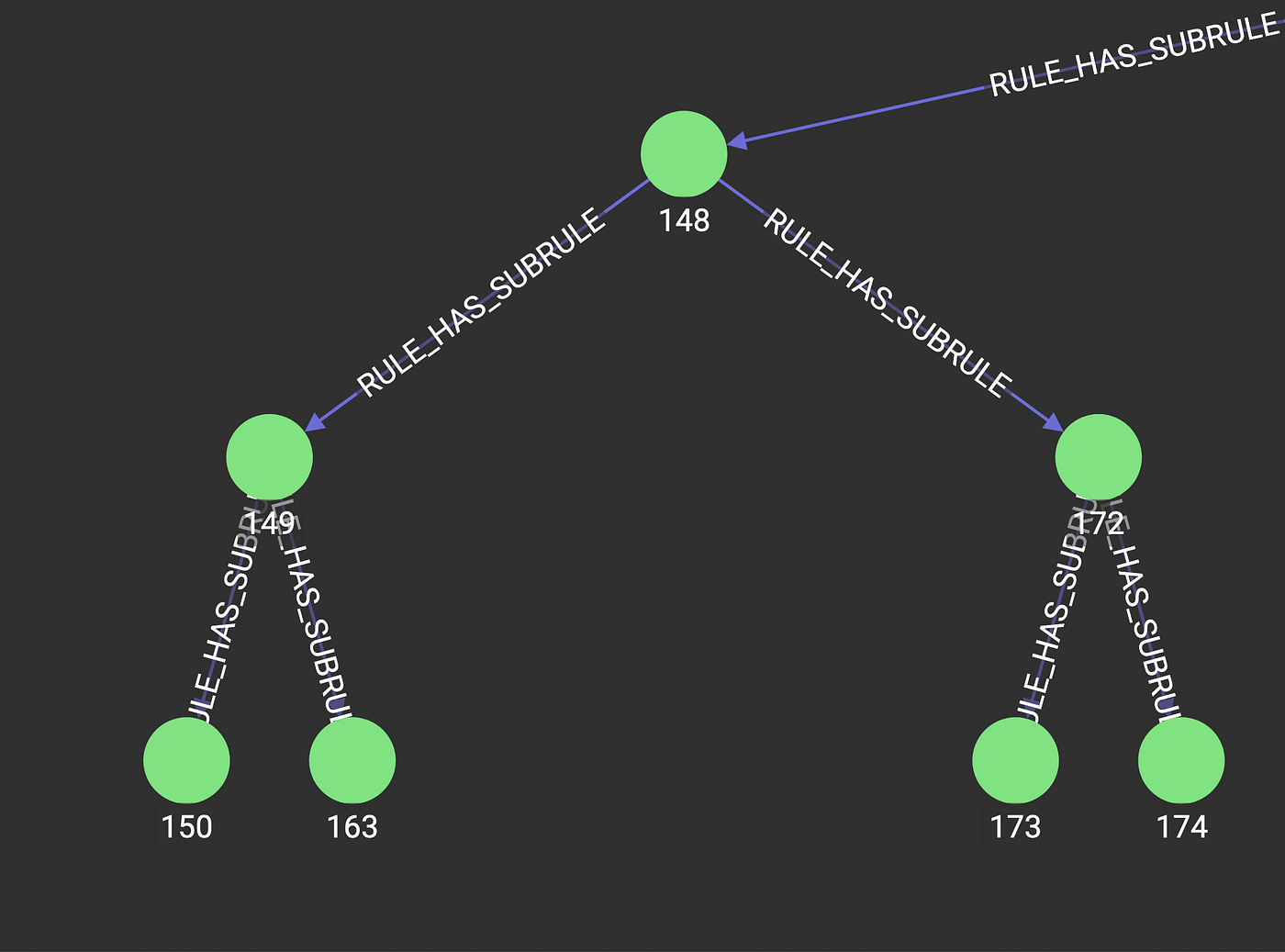
Excerpt of Decision Tree in TigerGraph (Image by Author)
Conclusion
This setup will allow users to run interpretable machine learning models inside of TigerGraph, where their data resides. Many different business processes, such as claims adjudication, can be represented as decision trees, and could be executed within the knowledge graph. Additional further work could be done to train the decision tree model within TigerGraph, removing the need to move the data in and out of the instance. All code can be found here: https://github.com/parkererickson/tigergraphDecisionTree.